Every card face up
Play FreeCell online
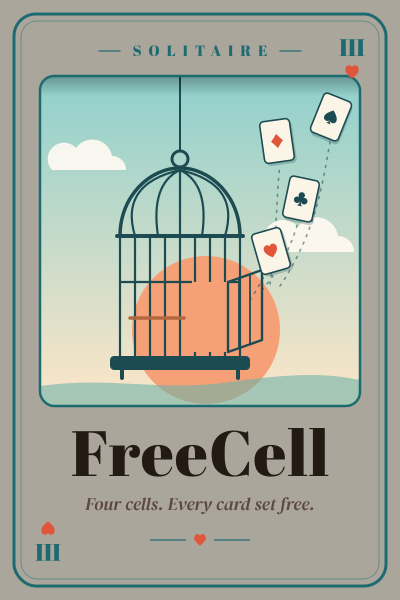
FreeCell deals all 52 cards face up, so every game is a puzzle you can plan from the first move. Use four free cells to move cards out of the way and build each suit home from ace to king. Choose from 10,000 verified deals at three difficulty levels.
- Deals
- 10,000 verified
- Difficulty
- Easy · Medium · Hard
- Free cells
- 4
- Help
- Undo, redo, and hints
How to play FreeCell
All 52 cards are dealt face up into eight tableau columns: four columns of seven cards and four of six. Above them sit four free cells, each able to hold one card, and four foundations, one for each suit.
The goal is to move every card to the foundations, building each suit from ace up to king. Because nothing is hidden, luck plays almost no part. Success comes from planning the order of your moves.
FreeCell rules
FreeCell shares its tableau rule with Klondike, then adds the free cells that give the game its name.
- Tableau: place a card on the next-higher card of the opposite color, such as a red 9 on a black 10.
- Free cells: any single exposed card can wait in an empty free cell and return to play later.
- Empty columns: any card or legal run can fill an empty column.
- Foundations: build each suit upward from ace to king.
- Moving runs: a run can move together when there is enough free space to move it one card at a time.
How many cards can you move at once?
Officially FreeCell moves one card at a time, but a run can travel together whenever it could have been moved card by card through the free space available. GameCamp does that bookkeeping for you.
The limit is the number of empty free cells plus one, doubled for every empty column you are not moving into. With two empty free cells and one empty column, for example, you can move a run of six cards onto another column.
Deals and difficulty
Every deal on GameCamp is taken from 10,000 deals a solver has already won: 3,000 Easy, 4,000 Medium, and 3,000 Hard. New game picks one at random from the difficulty you choose, and Restart replays the same deal.
- Easy: room to plan and build your way through.
- Medium: more rearranging and tighter use of the free cells.
- Hard: plan further ahead with less room to rearrange.
Controls
Drag a card or run to a free cell, foundation, or column, or select it and then select where it goes. Double-click a card to send it to the best available spot.
Undo and Redo step through your moves, Hint finds a move on a winning path from your current position, and Auto finish sends cards that are safe to move up to the foundations for you.
FreeCell strategy tips
With every card visible, the best FreeCell players spend a moment planning before the first move and keep as much free space open as they can.
- Find the aces and twos buried deepest and plan how to reach them first.
- Keep free cells empty as long as possible. Each occupied cell shrinks the runs you can move.
- An empty column is worth more than a free cell, because it doubles the size of the runs you can move.
- Build long ordered runs in the tableau instead of parking cards in free cells.
- Send low cards to the foundations early, but keep a card in the tableau while you still need it to build on.
- Use Undo to test a line of play. Every deal is winnable from the start.
FreeCell FAQ
- Is every FreeCell game winnable?
- Almost every FreeCell deal can be won, and every deal on GameCamp has already been won by a solver. If your moves close off every route, Hint tells you, and Undo lets you back up.
- How many cards can I move at once in FreeCell?
- The number of empty free cells plus one, doubled for each empty column you are not moving into. With four empty free cells and no empty columns, that is five cards.
- What is the difference between FreeCell and Klondike?
- FreeCell shows every card from the start and gives you four free cells to work with. Klondike hides most cards face down and adds a stock to draw from, so it involves more luck.
- Can I play FreeCell on my phone?
- Yes. FreeCell runs in mobile and desktop browsers. Drag cards with your finger or tap a card and then tap where it should go.
- Is FreeCell free to play?
- Yes. It is free in your browser, with no account, download, or sign-up.
Free · Instant play · No sign-up
Ready for a game?
Play 10,000 verified FreeCell deals with undo, redo, and winning-path hints.