The classic logic puzzle
Play Minesweeper online
Uncover every safe square without touching a mine. Each number tells you how many mines touch that square, so a careful read of the board turns guesses into certainties. Play the classic Easy, Medium, and Hard boards free in your browser.
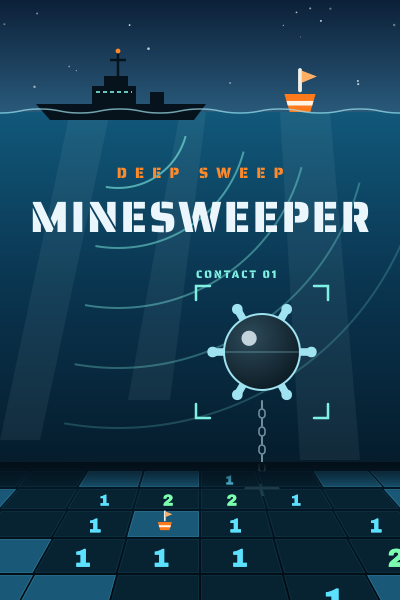
- Boards
- 9×9 · 16×16 · 30×16
- Mines
- 10 · 40 · 99
- First click
- Always safe
- Plays on
- Desktop and mobile
How to play Minesweeper
The board starts as a grid of covered squares with mines hidden under some of them. Uncover a square and it shows a number from 1 to 8 counting the mines in the eight squares around it, or opens up as blank when none of its neighbors hold a mine.
Blank squares open their neighbors automatically, so a single click can clear a whole region. Use the numbers along the edge of each cleared region to work out which covered squares must be mines and which must be safe.
You win when every square without a mine is uncovered. Uncovering a mine ends the game, and the board shows where every mine was hiding.
Rules and how numbers work
A number counts mines in all eight directions: left, right, above, below, and the four diagonals. A 1 in a corner therefore has only three neighbors to consider, while a 1 in the middle of the board has eight.
Flags mark squares you believe hold a mine. They protect those squares from an accidental click and lower the mines-left counter, but they are optional: the game is won by uncovering every safe square, not by flagging.
- Your first click never hits a mine. Mines are placed after it, away from that square and its neighbors, so the game always opens with a cleared area.
- The mines-left counter shows the total mines minus the flags you have placed.
- The timer starts on your first uncovered square and stops when the game ends.
Controls on desktop and mobile
With a mouse, left-click to uncover a square and right-click to place or remove a flag. With a keyboard, move between squares with Tab, press Enter or Space to uncover, and press F to flag.
On a phone or tablet, use the Sweep and Flag switch below the board to choose what a tap does. Hard's wide 30×16 board turns upright on a portrait screen so every square stays large enough to tap.
Click or tap an uncovered number once all of its mines are flagged to uncover the rest of its neighbors in one move. This shortcut, often called chording, saves time on larger boards. If a flag is wrong, chording can uncover a mine, so check before you use it.
Easy, Medium, and Hard boards
GameCamp uses the three classic board sizes. Choose New game from the menu to switch, or press the button between the two counters above the board to start again at the current size.
- Easy: a 9×9 board with 10 mines. A good place to learn the basic patterns.
- Medium: a 16×16 board with 40 mines. Longer chains of reasoning and more open space.
- Hard: a 30×16 board with 99 mines. Dense clusters that reward careful flagging and chording.
Minesweeper strategy tips
Most of Minesweeper is pattern reading. Start with the squares that have the fewest covered neighbors, because they give the most certain answers, then work outward from what you have proved.
- If a number has exactly as many covered neighbors as its value, every one of those neighbors is a mine.
- If a number already touches as many flags as its value, every other covered neighbor is safe.
- Along a straight edge, the 1-2-1 pattern means the squares beside each 1 are mines and the square beside the 2 is safe.
- Along a straight edge, a 1-2-2-1 pattern means the two squares beside the 2s are mines.
- Compare neighboring numbers: when one number's covered neighbors are a subset of another's, the difference in their values tells you how many mines sit in the squares they do not share.
- When no square can be proved safe, guess where the fewest mines are likely, such as an open corner of the board away from high numbers.
Minesweeper FAQ
- Is this Minesweeper free to play?
- Yes. Minesweeper on GameCamp is free, runs in your browser, and needs no account, download, or sign-up.
- Can I lose on the first click?
- No. Mines are placed after your first click and kept away from that square and its neighbors, so every game opens with a cleared area to read.
- How do I place a flag on a phone?
- Switch the control below the board from Sweep to Flag, then tap the squares you want to flag. Switch back to Sweep to uncover squares again.
- What is chording in Minesweeper?
- Chording uncovers every unflagged neighbor of a number at once. It works when you click or tap a number that already touches as many flags as its value.
- Do I have to flag every mine to win?
- No. You win as soon as every safe square is uncovered. Flags are a tool for keeping track of mines you have found.
- Is every Minesweeper game solvable without guessing?
- Not always. Mines are placed at random apart from the safe opening, so some positions still come down to a guess. Using the patterns above keeps those guesses rare.
Free · Instant play · No sign-up
Ready for a game?
Clear the minefield on Easy, Medium, or Hard boards. Your first click is always safe.